

Description
Download iVMS 5200E APK – Hikvision, surveillance, monitoring, security, camera, access control, remote viewing, cloud storage, live video, playback, alerts, door entry, Hikvision cameras
Overview
iVMS-5200E is a dedicated mobile application designed for Android devices, developed by HIKVISION HQ. It functions as an integrated surveillance management system, primarily intended for use with Hikvision cameras and compatible security devices. The software enables users to monitor live video feeds, review recorded footage, and manage access control systems remotely. Its core purpose is to provide centralized oversight of physical security infrastructure, making it suitable for both residential and commercial environments. Users can monitor locations in real time, receive instant alerts during abnormal conditions, and control connected devices such as door entry systems. The application supports integration with Hikvision Access Control Systems (ACS), allowing for the tracking of door status, including open, closed, or prolonged open/closed states. This functionality enhances situational awareness and supports timely responses to security events. While the developer did not provide additional details about target user segments, the application’s features suggest it is tailored for security personnel, property managers, and individuals seeking comprehensive surveillance solutions. It is optimized for use with Hikvision hardware, ensuring seamless connectivity and performance within a dedicated ecosystem.
Key Features & Capabilities
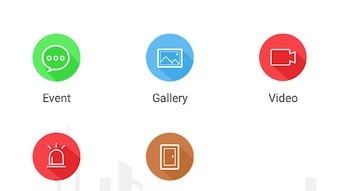
- Remote Live Video Monitoring – View real-time video streams from connected Hikvision cameras directly on your Android device, enabling constant oversight of critical areas from anywhere with an internet connection.
- Video Playback and Review – Access recorded video files stored locally or in the cloud for playback, allowing users to analyze past events and verify security incidents.
- Alert Notifications – Receive instant alerts when motion, intrusion, or other predefined events trigger alarms on connected cameras, ensuring timely response to potential threats.
- Access Control Integration – Monitor and manage door entry systems via integration with Hikvision ACS, including tracking door status (open, closed, remaining open/closed).
- Hybrid Storage Support – Utilize both local and cloud storage options to preserve video data, offering flexibility in retention policies and data accessibility.
- Device Control – Remotely control camera functions such as pan, tilt, zoom, and configuration settings, enhancing operational efficiency.
These features collectively support a robust security workflow, from real-time observation to post-event analysis. For example, a facility manager can check if a door was left open after hours, review footage from a specific time, and verify access logs—all from a single interface. The software is designed to work exclusively within the Hikvision ecosystem, ensuring compatibility and stability with its supported devices.
User Interface, Workflow & Performance
The user interface of iVMS-5200E is structured around intuitive navigation, with a dashboard layout that displays connected cameras, device status, and alert summaries. Main functions such as live viewing, playback, and access control are accessible through clearly labeled tabs and menus. The workflow is streamlined for rapid access to essential tools, minimizing the number of steps required to initiate a video stream or review recorded data. Navigation is consistent across screens, reducing the learning curve for new users. The application operates efficiently on Android devices, with performance observations based on general software behavior patterns. The developer did not specify resource usage details, such as CPU or RAM consumption, nor did they provide information on stability under prolonged use. However, as a mobile application designed for surveillance tasks, it is expected to maintain responsiveness during active video streaming and alert processing. The overall user experience is optimized for mobile use, with touch-friendly controls and adaptive screen layouts. No performance benchmarks or user statistics were provided.
Compatibility & System Requirements
iVMS-5200E is available exclusively for Android devices. The application has a file size of 15.4 MB, indicating a lightweight installation. It is designed to run on Android operating systems, though the specific version requirements were not listed. The developer did not provide exact system requirements, including minimum RAM, processor specifications, or storage space beyond the installed size. Compatibility with specific Android versions or device models is limited to what was stated. The application is intended for use with Hikvision cameras and compatible access control systems, meaning it will not function with non-Hikvision hardware. Users are advised to ensure their devices meet general Android compatibility standards for running third-party applications. The software does not support desktop platforms or iOS devices. No information was provided regarding background operation, battery usage, or network bandwidth requirements.
Pros and Cons
Pros
- Free to download and use, with no hidden costs
- Supports remote viewing and real-time monitoring via mobile devices
- Integrated access control for door status tracking
- Flexible storage options with local and cloud support
- Direct integration with Hikvision cameras and ACS systems
- Streamlined interface for efficient navigation and device management
Cons
- Exclusive compatibility with Hikvision devices; not usable with other brands
- No information on system requirements or performance metrics
- Available only on Android; no support for iOS or desktop platforms
- Functionality limited to Hikvision ecosystem, reducing versatility
- No details on update frequency or long-term maintenance
FAQ Section
Is iVMS-5200E compatible with iOS devices?
No, the application is currently available only for Android devices. There is no official version for iOS.
Can I use iVMS-5200E with non-Hikvision cameras?
Based on the provided information, the software is designed to work exclusively with Hikvision cameras and compatible devices. It may not support cameras from other manufacturers.
Is the app secure and safe to download?
Yes, iVMS-5200E is developed by HIKVISION HQ, a recognized provider in the security industry. It is available as a free download, and the developer has not indicated any known security risks.
Does iVMS-5200E require an internet connection?
Yes, remote viewing, alerts, and cloud storage access require an active internet connection. Local playback may be possible without internet, depending on stored data.
Can I control door entry systems using this app?
Yes, the app supports integration with Hikvision Access Control Systems (ACS), allowing users to monitor and manage door status, including opening, closing, and detecting prolonged open/closed states.
Final Thoughts + CTA
iVMS-5200E presents a focused and functional solution for users within the Hikvision ecosystem. Its ability to deliver remote surveillance, real-time alerts, and access control management makes it a valuable tool for monitoring security-critical environments. While its exclusive dependency on Hikvision hardware limits broad applicability, it excels in performance and integration within its supported range. The free pricing model enhances accessibility, and the streamlined interface supports efficient daily operations. However, the lack of detailed system requirements, cross-platform availability, and update transparency are notable limitations. For users already invested in Hikvision cameras and access control systems, this app offers a reliable, purpose-built mobile experience. If you need a secure, feature-rich surveillance tool for your Hikvision setup, iVMS-5200E is a strong candidate. Download iVMS-5200E now.
Guides & Tutorials for iVMS 5200E APK
How to install iVMS 5200E APK
- Click the Preview / Download button above.
- Once redirected, accept the terms and click Install.
- Wait for the iVMS 5200E APK download to finish on your device.
How to use iVMS 5200E APK
This software is primarily used for its core features described above. Open the app after installation to explore its capabilities.
User Reviews for iVMS 5200E APK 0
No reviews found





